Tap a bin.
See what's inside.
Your basement is full of identical tubs. Cubby puts an NFC tag and a QR label on every rack and bin — so one tap shows the contents. Fully on-device. No accounts, no cloud, no tracking.
Everything in the basement,
findable.
One app, tags on your tubs, and the entire contents of your storage — searchable in a second. Here's what Cubby does the moment you tap.
Tap to open a bin
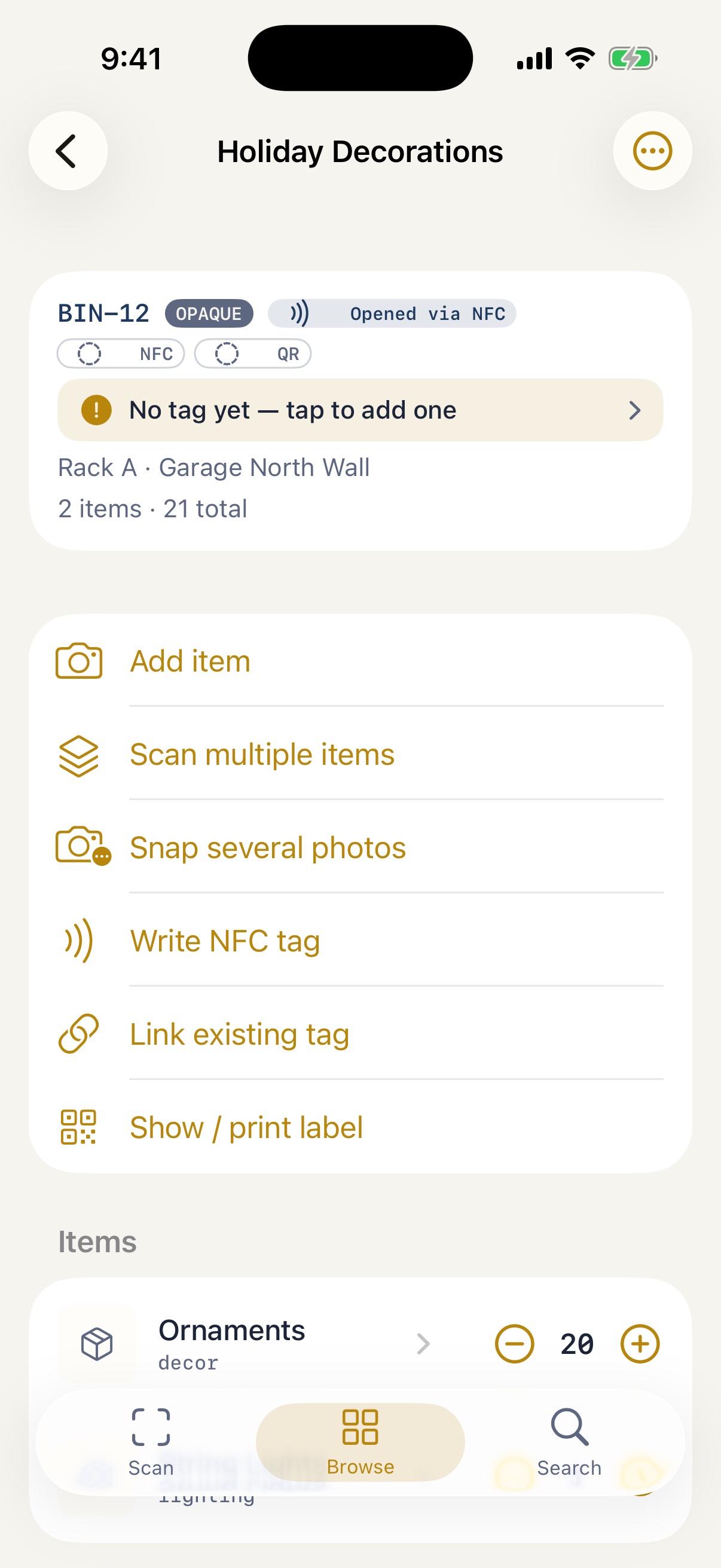
Hold your iPhone to a tub's NFC tag and Cubby opens straight to its contents — even from the lock screen, with the app closed.
Scan the QR too
No NFC, or hands full on iPad? The printed QR label and a short human code (BIN-12) get you to the same place.
Add items by camera
Point the camera and on-device Vision suggests a name instantly. A sharpness check flags blurry shots so you can retake before saving.
Smarter naming, still local
An optional on-device AI model — downloaded once from Apple, never the cloud — looks closer at what you photographed and upgrades vague names to specific ones. It runs entirely on your phone.
Search your whole house
One field spans item names, notes, bins, and racks — find the holiday lights without opening a single lid.
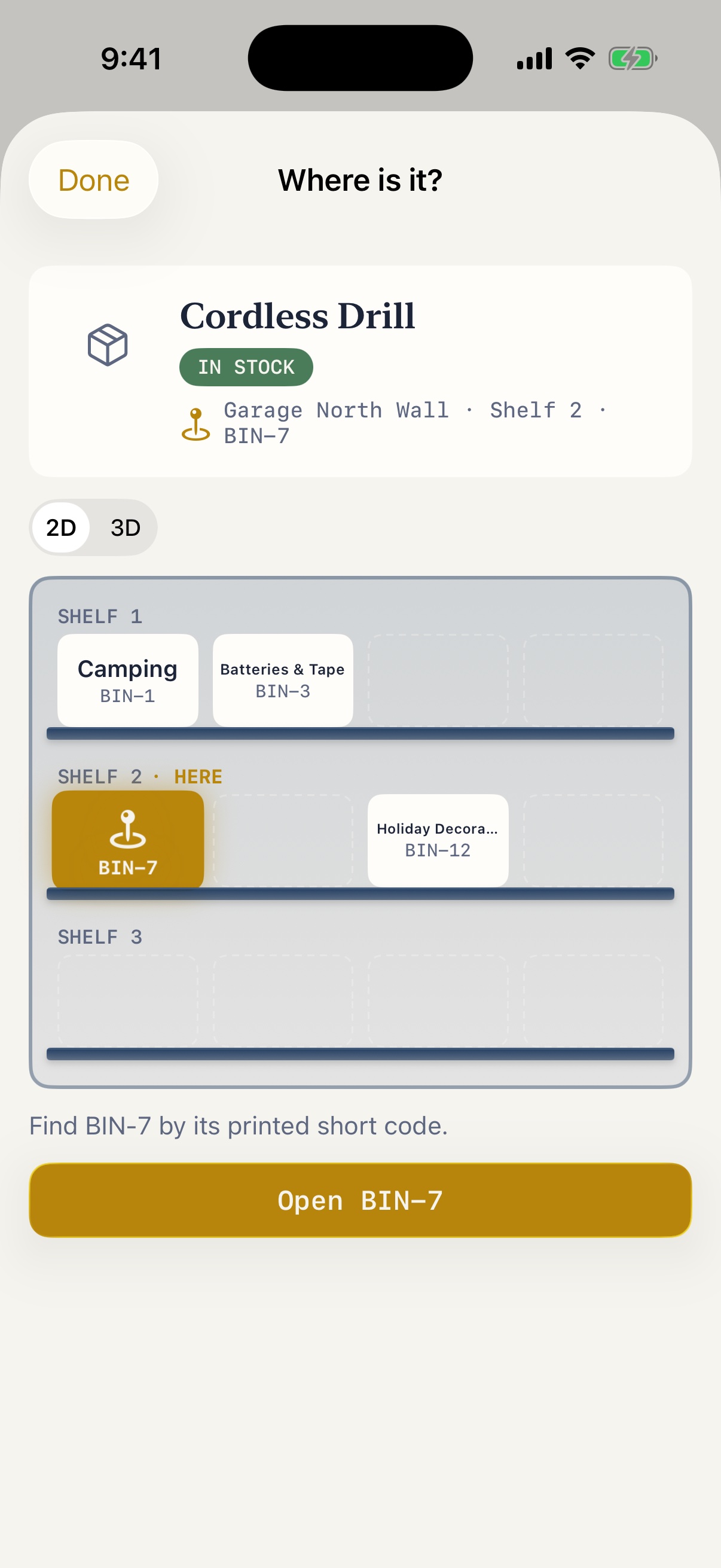
Where is it?
See the bin's spot on a rack map, then tap its tag to confirm you're standing at the right one.
Collections & filters
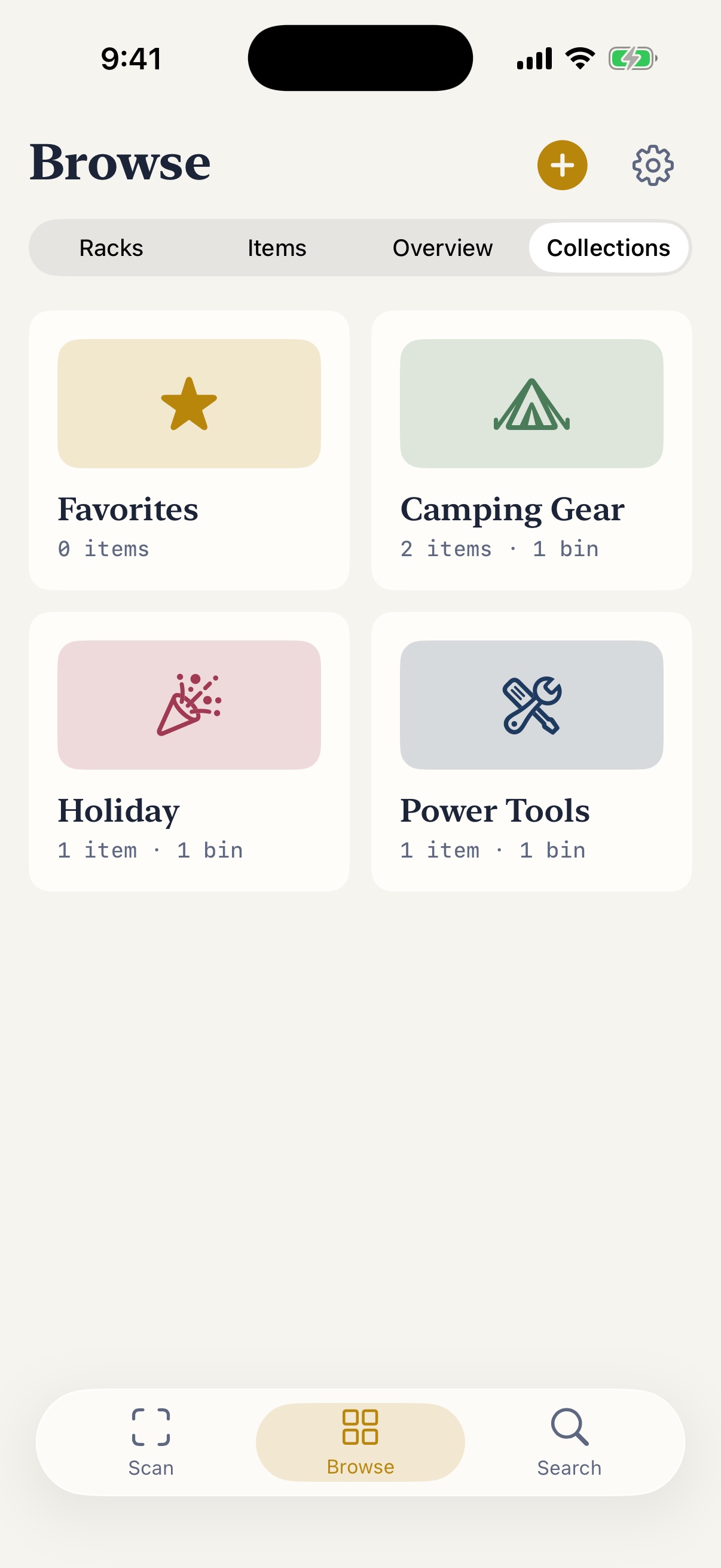
Group items into Collections that span bins, tag them, and narrow by category, location, in-stock, or has-a-photo.
Lend it, get it back
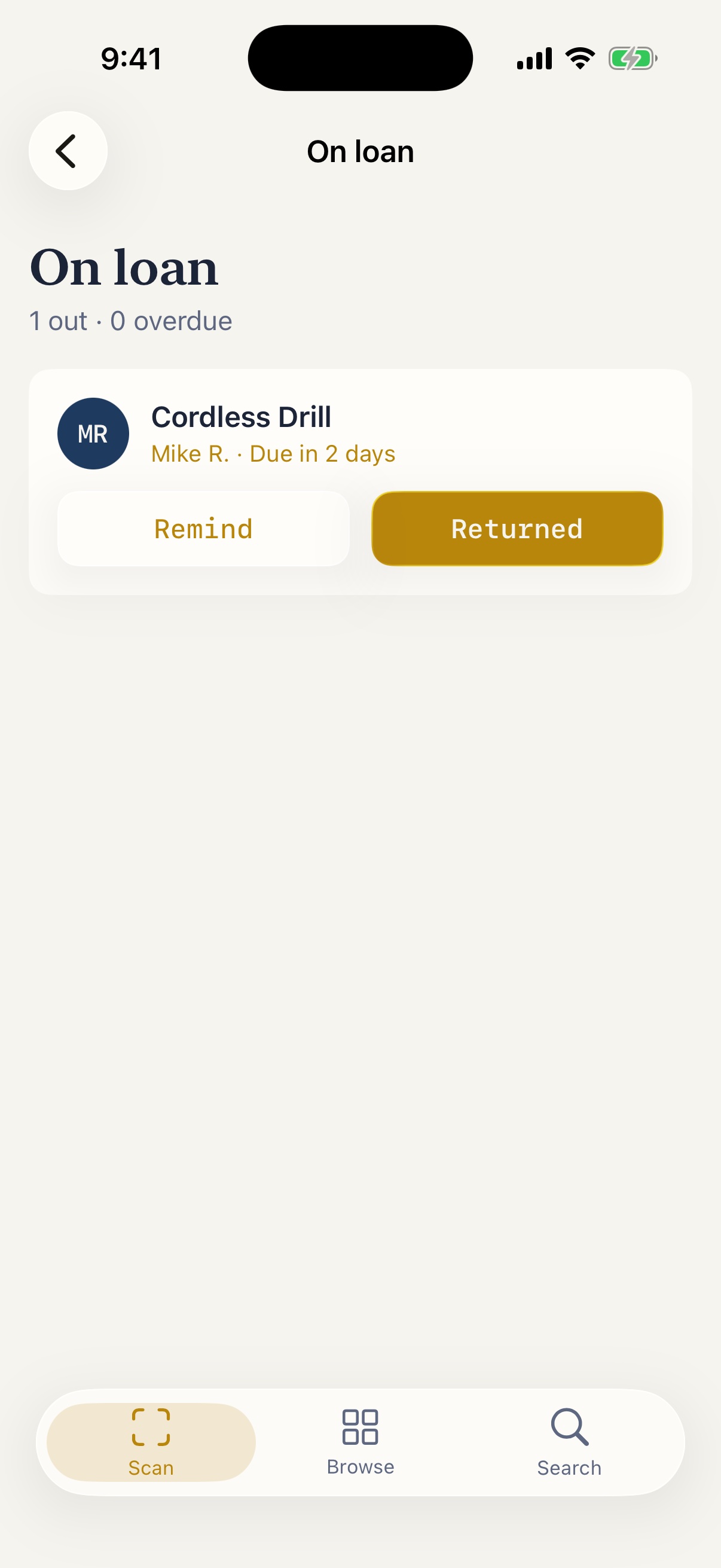
Mark a tool lent with a due date and get a reminder to chase it. See what's out, what's overdue, and what you borrowed.
Never run out
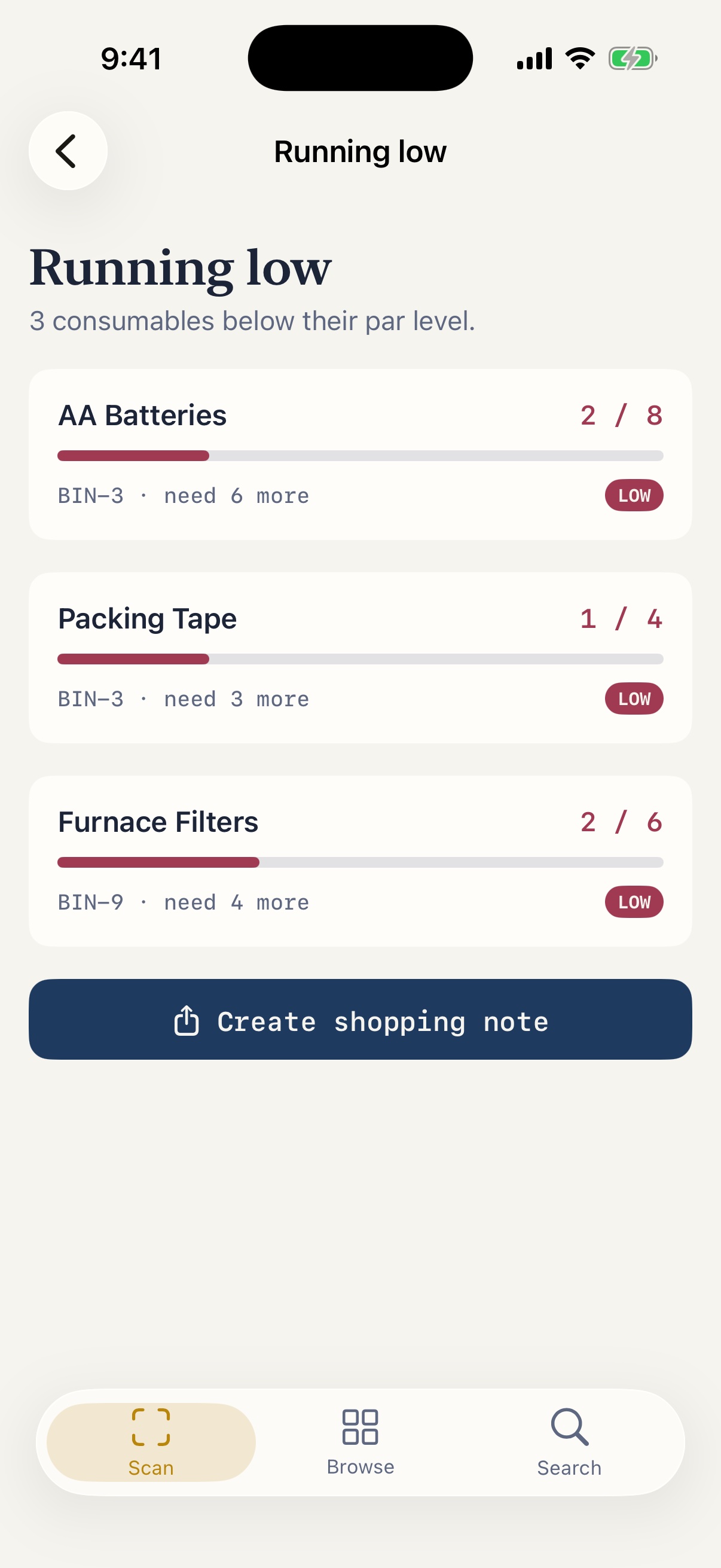
Set a par level on consumables. "Running low" shows what's below par and exactly how many more you need.
Print your own labels
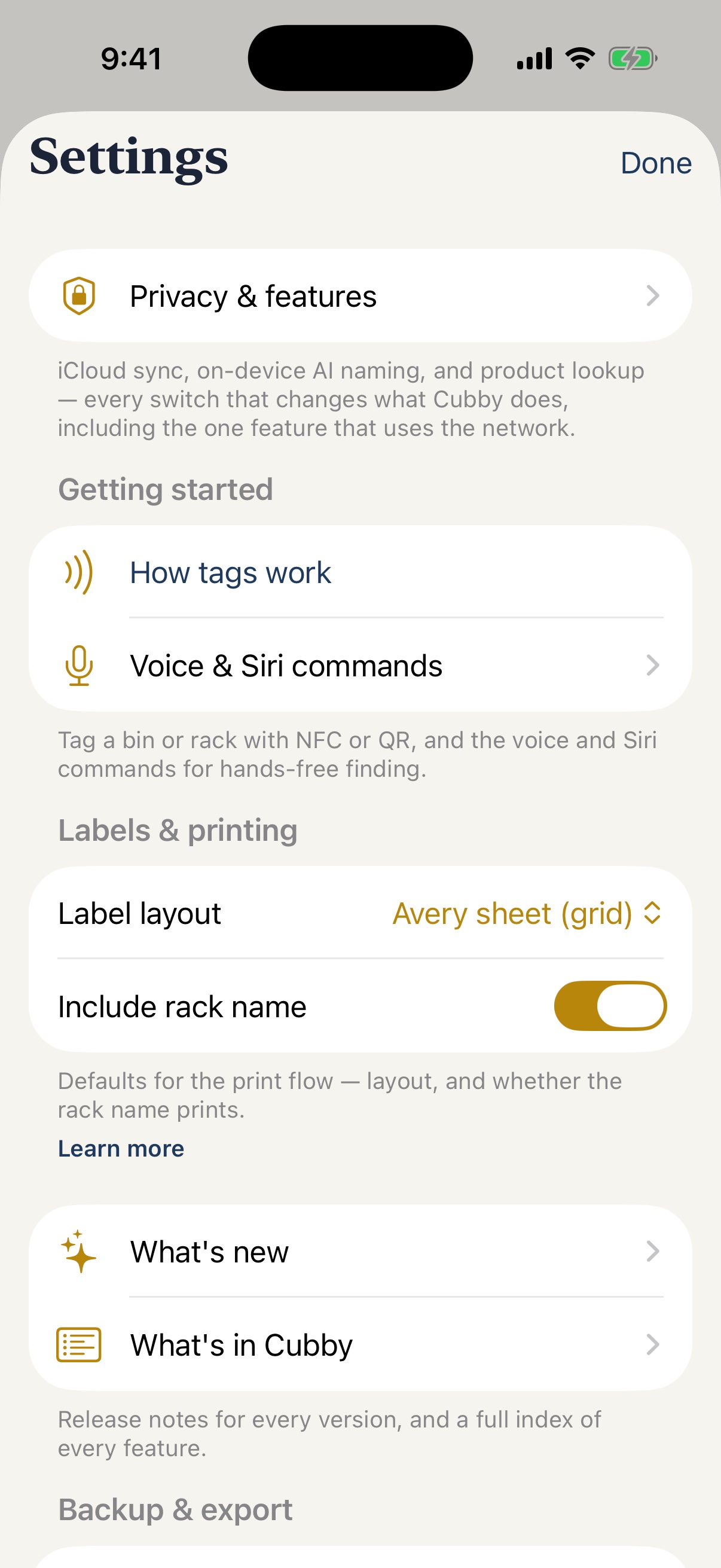
Lay out QR labels for whole racks at once and print to an Avery sheet or a roll printer over AirPrint. Tag once, find forever.
Your racks, in 3D
See any rack in 3D with its bins sitting on the shelves — tap one to open it, or use it to confirm you're at the right shelf.
Ask Siri, or just ask
"Do I have AA batteries?" Ask in the app or through Siri and Shortcuts — add items, find things, and build collections by voice.
Widgets that watch stock
Low-stock and expiring-soon counts on your Home and Lock Screen, plus one-tap shortcuts into your racks, bins, and recent activity.
Sync, only if you want it
Everything lives on your device by default. Flip on iCloud sync and your inventory travels through your own iCloud to your iPad — never a Cubby server.
Barcode lookup, transparent
Scan a product barcode and Cubby can look up its name — the app's one optional network call, confirmed before it's applied and logged in full so you can see exactly what left the device.
Tag it once.
Find it forever.
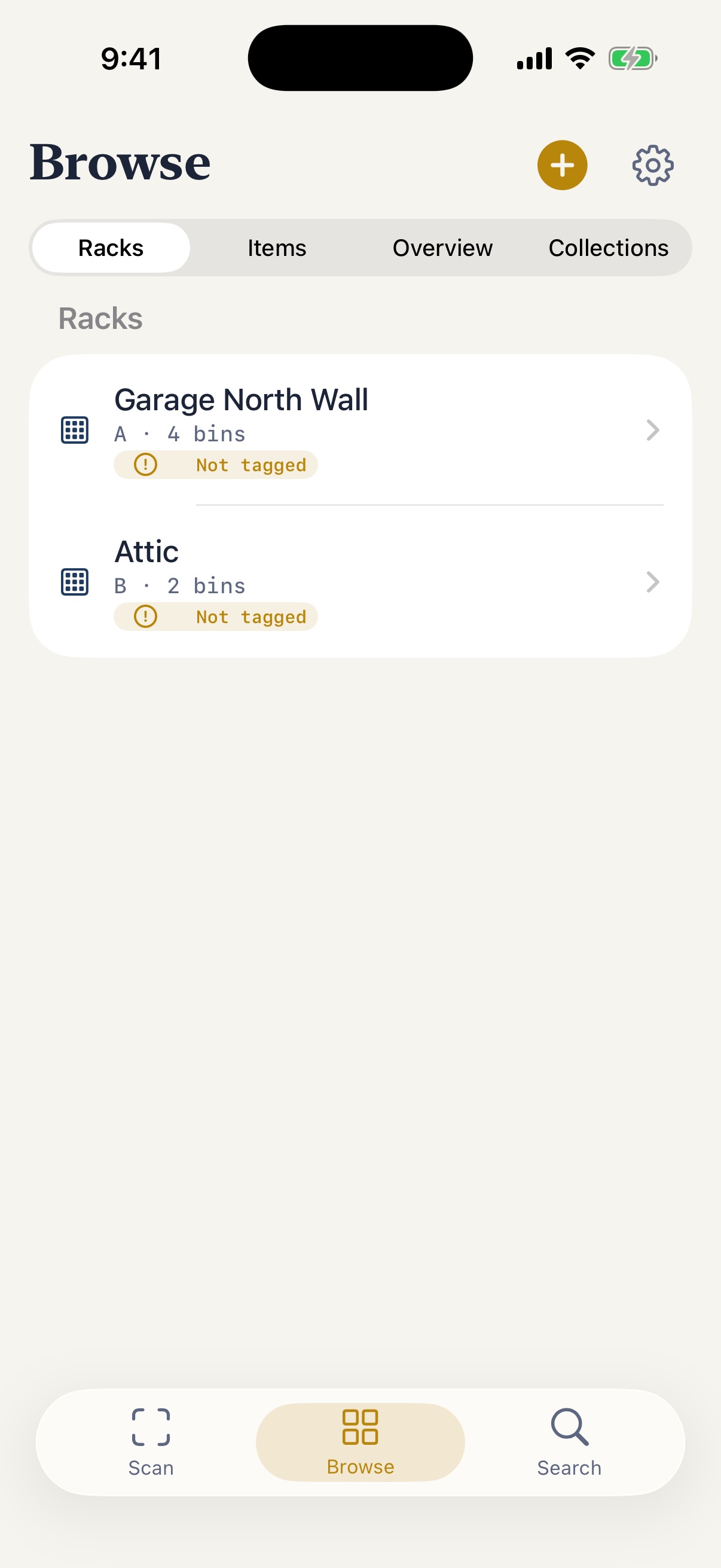
Tag your racks & bins
Stick an NFC tag and a printed QR label on each rack and tub. Cubby writes the tag for you in one tap.
Fill them in
Open a bin and add what's inside — snap a photo, accept or edit the suggested name, set a quantity.
Find it later
Tap a tag, scan a QR, or search by name. Cubby tells you which bin on which rack — no more digging.
What will you
organize?
Cubby isn't only for the basement. Pick a space when you set up a rack and Cubby speaks its language — shelves and baskets, not racks and tubs — with onboarding starter spaces to match.
Pantry
Shelves and baskets, not racks and tubs. Track expiry dates, keep a running low list, and scan a barcode instead of typing in every can and box.
Freezer
Every bag and container gets its own tag, so nothing gets forgotten at the bottom for two winters. Expiry banding flags what to eat first.
Garage
Tools, hardware, and holiday decorations on tagged shelves and drawers — lend a ladder to a neighbor with a due-date reminder to get it back.
Closet
Seasonal swap made findable: photograph what's boxed up, tag the bin, and search by name instead of digging through totes in the attic.
Office
Cables, spare parts, and supplies live on labeled shelves and in baskets — search finds the right cable before you tear a closet apart.
Craft room
Yarn, fabric, beads, and half-finished projects — Collections group supplies across bins so a project's whole kit is one tap away.
Collections
LEGO sets, board games, wine, trading cards — tag a box, snap a photo, add custom fields for value or vintage, and see the whole collection in one list.
Moving & emergency prep
Label moving boxes once and search which one has the coffee maker before you unpack the rest — the same tags work for a go-bag you hope never to open.
Cubby for work
Running a small storeroom solo? Custom fields for Supplier, SKU, PO #, Cost, Model, and Warranty until turn a rack into stockroom software — and CSV/JSON export carries every field, tag, and loan record out with you.
Other NFC organizers stop at the tag. Cubby pairs NFC with a printed QR label and a short code so a scan never fails, points a camera at anything and suggests a name with AI that runs entirely on your phone, and keeps a true rack → bin → item hierarchy instead of one flat list. No account to create, no monthly subscription — and every custom field, tag, and loan record travels with you in a complete export.
Everything Cubby does,
in one list.
The same "What's in Cubby" index that ships inside the app — 40 features across six areas. Tap an area to expand it.
Find 6
- Search everything — One search across racks, bins, items, tags, and categories.
- Saved searches — Pin a query you run often and reopen it in a tap.
- Locate — Open an item and see exactly which rack and bin it lives in.
- Spotlight — Find your stuff straight from the iOS home-screen search.
- 3D rack view — See any rack in 3D with its bins on the shelves — tap one to open it.
- Ask Cubby — Ask in plain language whether you have something or how many — in the app or through Siri.
Capture 11
- NFC + QR tags — Tap a tag to jump to a rack or bin instantly; tags hold only an id.
- Tag tutorial — A quick explainer walks you through NFC and QR tagging on first use, replayable anytime from Settings, the tag screens, or the bin/rack screen itself — which tracks which of NFC or QR you've already done.
- On-device naming — Vision crops to the item before suggesting a name from the photo — nothing leaves the device.
- AI naming (beta) — An on-device visual model and Apple Intelligence compose better names; suggestions appear as tappable chips — your edits always win.
- AI-generated labels — After you accept an AI-suggested name, on-device intelligence proposes a few organizing labels as tappable chips.
- Continuous add — Keep adding into the same bin without restarting the flow each time.
- Quick add from Home — Dedicated Add-item and Add-bin/rack buttons, plus a right-swipe on Home straight into the scan camera.
- Burst mode — Capture several items in one pass, then fine-tune each in a full per-item editor before saving.
- Adopt a QR label — Scan any pre-printed QR code and make it a bin or rack's own tag in one tap.
- Barcode lookup — Optionally resolve a product name from a scanned UPC, with a confirm sheet before it's applied (off by default).
- Voice input — Dictate an item's name or notes instead of typing.
Track 6
- Low-stock par levels — Set a par level and Cubby flags items running low.
- Expiry reminders — Add a use-by date and get a reminder before it lapses.
- Loans — Mark an item lent out, to whom, and get reminded to chase it back.
- Moving mode — Group bins into boxes with destination rooms and check them off.
- Quantity units — Pick a unit — count, weight, volume, length — per item; quantities format and roll up correctly everywhere.
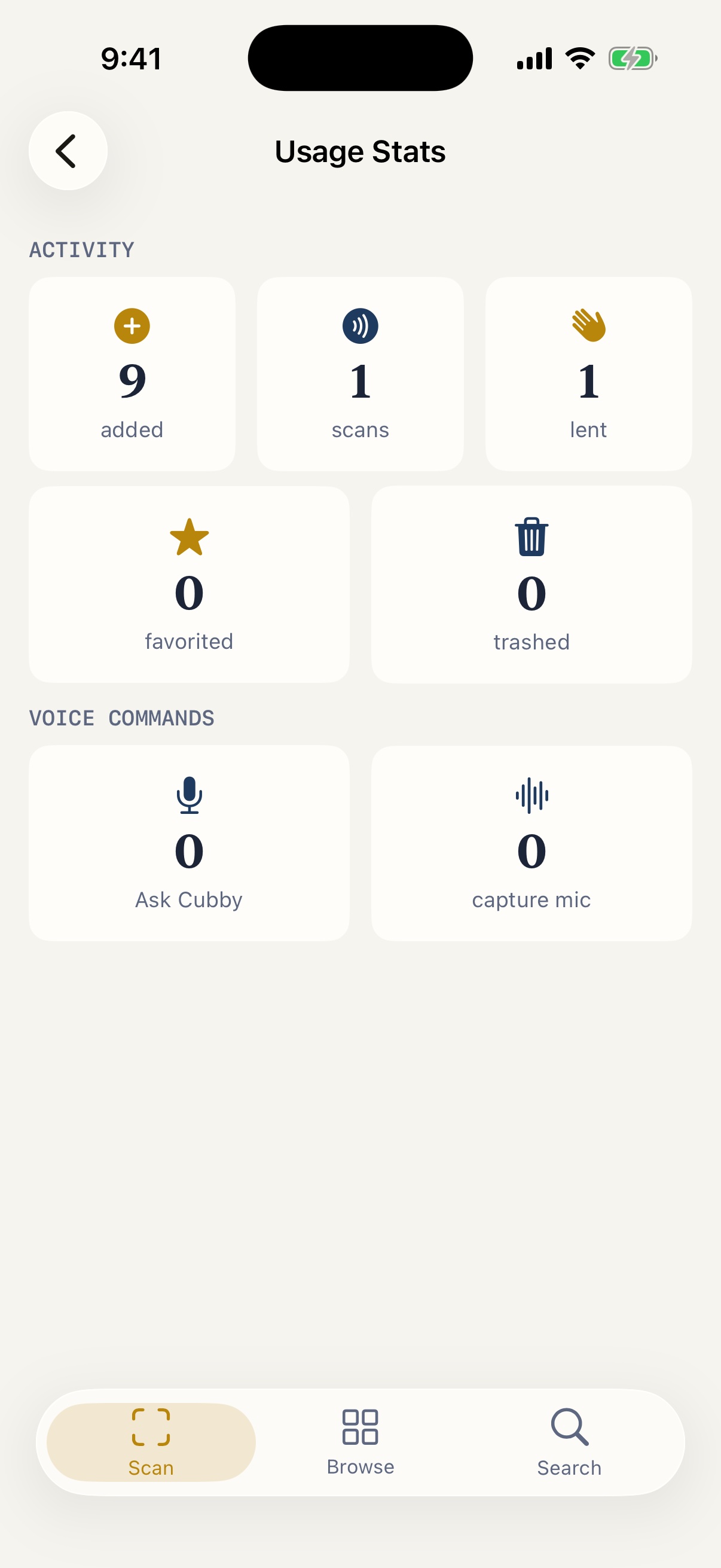
- Usage stats — See your own activity — items added, scans, favorites, loans, voice-command volume, and how often you keep AI-suggested names as-is — all computed on-device.
Manage 9
- Collections — Group items into Collections that span bins — "Camping Gear," "Holiday."
- Favorites — Star an item and find it instantly in its own Collections tile.
- Item cover photos — Replace the cover, import from Photos or Files, promote any gallery photo to the cover, or remove it.
- Item photo gallery — Swipe through an item's photos, tap a thumbnail to jump to it, or open fullscreen to pinch, pan, and swipe between them.
- Voice edits — Dictate multi-field changes to an item, with a per-field confirm before anything is applied.
- Labels & printing — Print QR labels with short-code fallbacks in your preferred layout.
- Backup & export — Export your inventory and restore it — your data, in your hands.
- Activity history — Every rack, bin, and item has its own History page of adds, moves, and scans.
- Trash — Deleted items rest in the trash, restorable until you clear them.
Anywhere 4
- Siri & Shortcuts — Add or find items by voice, create a collection from a spoken query, or wire Cubby into your own shortcuts. "Check my inventory in Cubby" works for anything and asks which item; a Settings guide shows how to ask without saying “Cubby” at all.
- Voice command list — Every supported voice and Siri phrase, browsable from Settings.
- Home & Lock widgets — Low-stock and expiring-soon counts on your Home and Lock Screen, plus a Racks & Bins widget and a recent-activity shortcut on the Home Screen.
- Built for iPad — A two-column layout that uses the whole iPad screen, in any orientation.
Private 4
- On-device by default — No accounts, no cloud backend, no telemetry, no third-party SDKs.
- Opt-in iCloud sync — Off until you turn it on, and then only through your own iCloud.
- Diagnostic log — A local activity log you can share for troubleshooting or clear anytime — nothing is ever sent automatically.
- Network transparency — A log of every barcode lookup — the app's one outgoing network call — showing the barcode, the result, and whether it actually left this device. Kept on-device in Stats; never in a bug report or export.
The whole house,
in your pocket.
Straight from the current beta build — calm, legible, and built for one-handed use in a dim garage. Drag to browse.
From find, to organize,
to lend & restock.
Real screen recordings from the current beta build — no mockups, no motion design, just the app.
Your home's contents are nobody's business but yours.
Cubby processes everything — naming, search, labels — on your device. No accounts, no cloud backend, no analytics. NFC and QR tags hold only a random identifier, never your item names.
No account to create
Open the app and start. Nothing is uploaded, and there's nobody to sign up with.
Tags hold only an ID
A scanned tag reveals nothing on its own — the contents live only in your copy of Cubby.
No Cubby server, ever
Sync is off by default and your inventory lives on the one device. Turn on optional iCloud sync in Settings and it travels through your own iCloud — never a Cubby server.
AI runs on your phone
The naming model is a one-time download straight from Apple — never a Cubby server — and every photo it looks at stays on-device. Nothing about it or your items is ever sent anywhere.
In beta testing today.
App Store coming soon.
One tap to find anything you've stored. Cubby is under active beta testing on TestFlight — the App Store release is coming soon.